 Back
Back
Salesforce powers tens of thousands of nonprofits across the world, making it one of the top platforms for charitable organizations. However, Salesforce is a complex software solution, and nonprofits looking for a donor management tool may feel unsure how to make the most of it.
To help your nonprofit better understand Salesforce and put it to use managing donor relationships, this guide will explore:
- Salesforce Donor Management FAQ
- Benefits of Salesforce Donor Management
- Using Salesforce for Donor Management: 5 Tips
With the strategies in this guide, your team should grow its confidence with the Salesforce platform and be able to start formulating an implementation plan that sets your organization up for a successful donor management strategy.

Salesforce Donor Management FAQ
Is Salesforce a nonprofit CRM?
Salesforce is a flexible tool that supports a number of industries, including the nonprofit sector. This means that Salesforce can serve as a customer relationship management (CRM) system for businesses and nonprofits alike, including nonprofits with specialized needs like educational institutions and hospitals and healthcare organizations.
Through various Salesforce products and native integrations, your nonprofit can transform your Salesforce platform into a CRM built for nonprofit needs.
How does Salesforce support donor management?
Salesforce can help you manage and build relationships with donors in a number of ways, depending on which solution you choose. Nonprofits interested in using Salesforce for donor management have three choices when it comes to customizing their platform:
- Salesforce Nonprofit Success Pack (NPSP). NPSP is a unique Salesforce managed package that provides users with numerous tools for fundraising and donor engagement. While Salesforce still supports NPSP, Nonprofit Cloud is now its primary focus.
- Nonprofit Cloud. To better align Salesforce’s nonprofit tools with its other offerings, Salesforce launched Nonprofit Cloud in 2023. Through Nonprofit Cloud, nonprofits can access features related to fundraising, volunteers, and program management.
- Native integrations. Salesforce invites other software developers to create tools for the platform, which has led to a host of high-quality integrations specifically for nonprofits. If neither NPSP nor Nonprofit Cloud is right for your nonprofit, look to the Salesforce AppExchange to find a platform that can transform your Salesforce instance into the donor management platform you need.
When deciding which Salesforce solution to invest in, be prepared to do your research. In addition to the Salesforce AppExchange, browse reviews, referral lists, and speak with fellow nonprofit professionals to get suggestions. For example, we recommend our transformative donor management solution built on Salesforce, Springboard.
Should my nonprofit use Salesforce for donor management?
Salesforce is one of the most widely used donor management platforms for a reason. If any of the following describe your nonprofit, then Salesforce might be the right fit:
- Enterprise-sized organization
- Complex needs
- Interest in extensive customization
- Plans to scale
- Interest in a product built on the Salesforce platform
Even if your nonprofit isn’t a perfect fit for this criteria, Salesforce might still be a good choice. For instance, many small nonprofits choose Salesforce thanks to the Power of Us program providing free licenses of Nonprofit Cloud or NPSP.
Benefits of Salesforce Donor Management
When your nonprofit invests in Salesforce, you’ll gain access to an entire software ecosystem that provides benefits like:
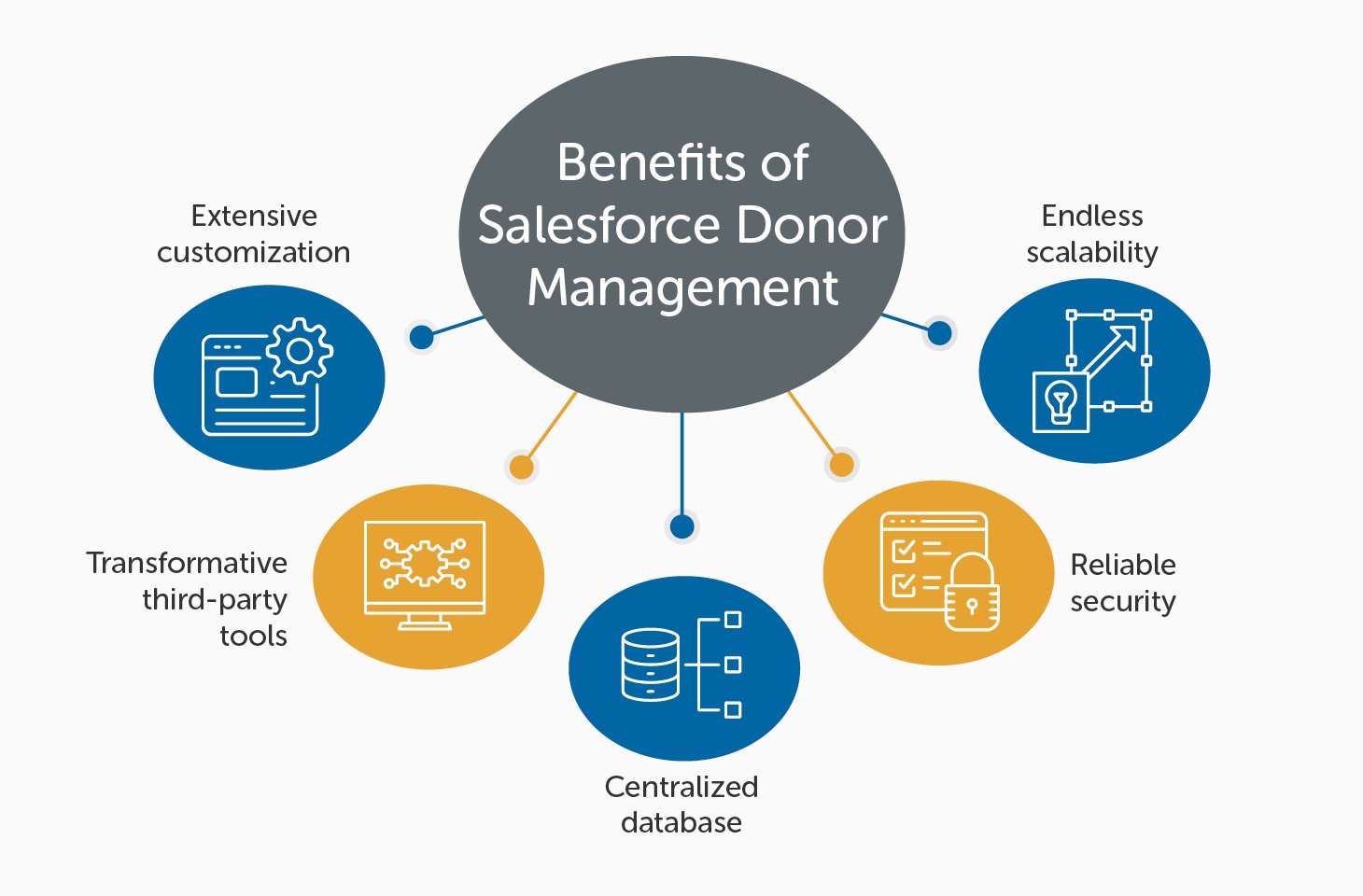
- Extensive customization. Salesforce’s high flexibility means the platform can essentially be anything your nonprofit wants it to be. Create unique workflows, store your donor information however makes sense for your nonprofit, and design custom tasks that enable your nonprofit to operate as efficiently as possible.
- Transformative third-party tools. There’s no need to limit yourself to just tools created by Salesforce. From donation forms to advocacy tools to project management features, you can turn to Salesforce’s extensive community of developers and consultants to find the third-party products and services you need. And these aren’t clunky integrations—they’re built specifically for the Salesforce platform.
- Centralized database. Thanks to its numerous integrations, Salesforce brings all of your nonprofit’s technology together into one unified system. Never worry about connecting your fundraising software to your CRM again, thanks to Salesforce’s automatic synchronization.
- Reliable security. Salesforce’s team understands how vital data privacy is to their users and regularly rolls out updates to protect against vulnerabilities as soon as they’re discovered. Stay up to date with Salesforce’s security priorities and get tips for what your nonprofit can do to protect itself.
- Endless scalability. If your nonprofit is looking to grow, then Salesforce can be a worthwhile investment. Thanks to its extensive customization and powerful engine, there’s no need to ever change systems. Instead, you can continually scale your Salesforce platform, purchase new integratable tools, and update your customizations to fit your changing needs.
Of course, to take full advantage of these benefits, your nonprofit will need to know how to put its Salesforce platform to effective use. Before investing in Salesforce, be sure to ask questions and do your research to find the appropriate tools, integrations, developers, and consultants who can assist you in your Salesforce journey.
Using Salesforce for Donor Management: 5 Tips
1. Establish platform goals.
Whenever your nonprofit implements a new software solution, you should have concrete reasons for doing so. This not only makes it easier to pitch these investments to decision-makers but also ensures that you can hit the ground running when it comes to actually using them.
If your nonprofit wants to use Salesforce as a donor management tool, define what that means for your nonprofit and what you specifically envision Salesforce doing. For instance, consider these use cases:
- Donor profile management. Your donor profiles are your source of truth, and maintaining them is essential for cultivating long-term relationships. With a platform like Salesforce, you can add the exact information fields your nonprofit needs to maintain donor connections.
- Advocacy activation. Do you want a tool that only helps manage donors or one that enables you to connect with all of your supporters, including volunteers and advocates? Look for comprehensive solutions that provide custom profile creation, supporter journey tracking, and marketing tools, enabling you to run advocacy campaigns and other unique efforts along with basic fundraisers.
- Recurring giving. Stewardship is an essential part of donor management as you build connections with supporters and push them toward their next gift. Look for donor management systems that make recurring giving and upgrading gifts as easy as possible, so that when donors are ready to take that next step, they can do so instantly. For instance, use Salesforce donation tools like Springboard Studio to create streamlined donation pages that highlight monthly giving.
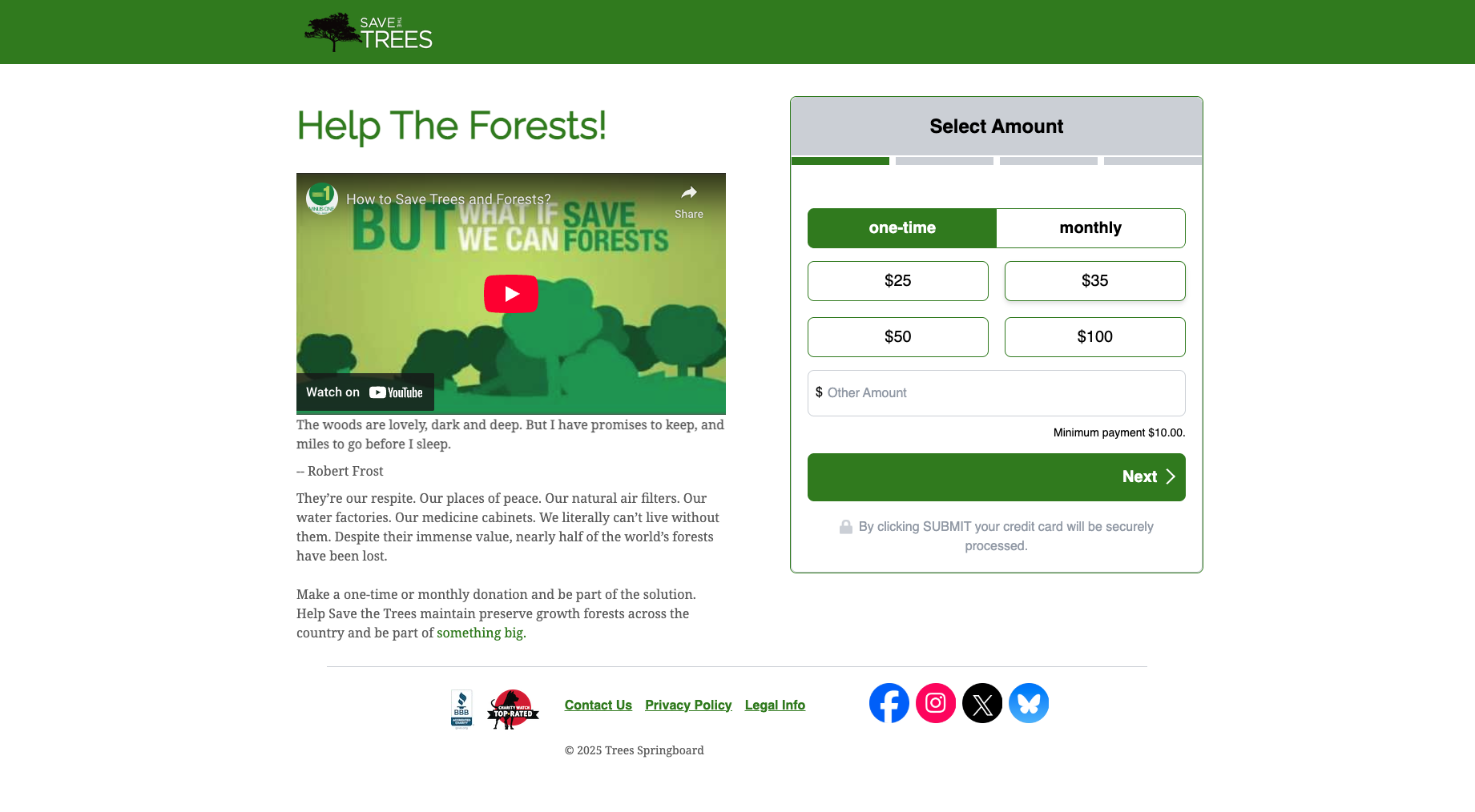
Before browsing Salesforce donor management tools, determine what features you’re looking for, who on your team will use them, and what—if any—software solutions will be replaced. This will help you create a smooth implementation process and assess your platform’s success later.
2. Explore native integrations.
While NPSP and Nonprofit Cloud are worth exploring, don’t limit yourself to just these two options. Many third-party software solutions have integrations with Salesforce, while others have developed custom products specifically for Salesforce that can transform your interface and provide a suite of donor management tools.
For example, our donor management solution, Springboard, leverages Salesforce’s customizability and powerful engine to offer nonprofits:
- Marketing support. Build unique relationships with all of your supporters at scale with Springboard. While Salesforce divides its outreach tools between Nonprofit Cloud and Marketing Cloud, Springboard provides a host of nonprofit-specific marketing features all in one place, including customized forms, social sharing options, dynamic content for increased personalization, and affiliate collaboration options.
- Advocacy functionality. Address your nonprofit’s target issues at the root by running advocacy campaigns alongside your fundraiser. Activate your community through targeted activities that pair each supporter with their representatives. Plus, with Salesforce’s extensive donor database customization tools, you can create comprehensive supporter profiles that include their giving and advocacy information.
- Fundraising features. Make giving as easy as possible for your donors with one-click sustain upgrades, self-service tools, and flexible payment options. With Springboard’s connection to your donor database, you can also generate personalized donation requests based on supporters’ giving history, increasing the chances that they’ll upgrade.
Springboard can easily be your Salesforce donor management tool, while also integrating with any other Salesforce apps you may need. Whether you need a corporate giving database or are looking for an AMS, there’s likely a Salesforce-compatible tool available to build out your technology ecosystem.

3. Partner with Salesforce experts.
Salesforce has an extensive community of professionals creating products and offering consulting services. Use the Salesforce AppExchange to find professional assistance for all of your needs, allowing you to transform your platform into a true donor management tool.
Specifically, you may need to work with:
- Vendors. Explore software vendors offering native apps. Browse offerings for nonprofits to find tools that provide the functionalities you need to manage donors, like a donor database, online payment processing, and marketing support.
- Developers. Salesforce software developers can help you get your system up and running. Before investing in any new Salesforce application, consider potential developer costs for customizing and integrating the new tool.
- Consultants. If you need help with your overall Salesforce strategy or Salesforce training, try working with a consultant. Salesforce consultants vary in their offerings, but most should be able to help you plan implementations, assess Salesforce products, and create a long-term technology strategy.
Before reaching out to Salesforce professionals, assess whether they’re the right partner for your nonprofit. Research their past projects, what types of organizations they work with, and if they’re Salesforce-certified (look for a “Salesforce Partner Since [Year]” badge).
For example, Jackson River primarily works with nonprofits and public media organizations, providing them with a donor management system built to retain supporters and encourage sustainer giving. Plus, we’re Salesforce-certified, meaning our team has the knowledge necessary for fully optimizing your Salesforce platform for fundraising.
4. Create an implementation roadmap.
Salesforce can transform your donor management system once it’s live, but implementing it is often a time-consuming process. Keep your Salesforce migration or implementation project on track by creating a roadmap that factors in:
- Customization needs. Consider what parts of your Salesforce platform will need to be customized. For example, you may need custom integrations or unique workflows built just for your nonprofit. Native Salesforce solutions may still require some customization, but they should be easier to implement than tools requiring complex integrations.
- Data migration. Whether your donor data is currently stored in another CRM or in basic spreadsheets, plan how you will migrate that information to your Salesforce system. Take this as an opportunity to clean your data to ensure only the information you need is transferred over.
- Training. Host training sessions to help your team get up to speed with your new software. When exploring Salesforce-native solutions, look for vendors who will provide training and ongoing support.
Fortunately, some Salesforce solutions can be set up faster than others. For example, platforms like Springboard that provide out-of-the-box functionality require less customization than building out unique workflows would.
5. Continue to update your system.
Your Salesforce platform is designed to evolve alongside your nonprofit. Ensure your system always provides you with the functionalities you need by:
- Documenting processes. Ensure knowledge of how to use your system is never lost by documenting how to complete core processes, recording training sessions, and maintaining any technical documentation your software vendor provides.
- Partnering with vendors who provide ongoing support. When researching Salesforce-native apps, look for vendors who provide ongoing support. This should include both continual security updates and technical support.
- Exploring new Salesforce tools. Salesforce’s community is always developing new tools. If you realize there is something else you would like your platform to do, chances are you can find an app for it on the Salesforce AppExchange or work with a developer to custom-build a solution.
Your Salesforce donor management platform should be a central source of information for your entire nonprofit. Ensure you set it up for success by integrating all of your technology, diligently installing security updates, and providing staff training for any tools you implement.
Additional Salesforce Resources
When it comes to donor management, Salesforce is one of the most powerful tools available. Leverage it to create engaging donor forms, get a comprehensive view of your supporters, and continually improve the donor experience. Get started with Salesforce and explore transformative tools like Springboard to create a platform that sets you up for donor management success.
For even more Salesforce and donor management tips, check out these resources:
- 7 Salesforce Peer-to-Peer Fundraising Tools to Deepen Impact. Peer-to-peer campaigns can bring in new donors and strengthen relationships with existing supporters. Discover how Salesforce can power this valuable fundraising strategy.
- Salesforce Donation Processing: How It Works for Nonprofits. Salesforce can help your nonprofit earn and accept donations. Get an in-depth look at how Salesforce lets your nonprofit process donations.
- FAQs + Strategies for the Perfect Year-End Giving Campaign. The end of the year is one of the most important times for fundraising. Learn tips for how to manage your donors during this exciting time to maximize gifts.